Download the ck34 App
Play Casino on Your Phone
The ck34 app brings the full casino — slots, Crash, card games, live tables, fishing games and sports betting — directly to your Android phone. Fast login, bKash & Nagad deposits, and withdrawals settled in about 7 minutes. One APK file, free to download.
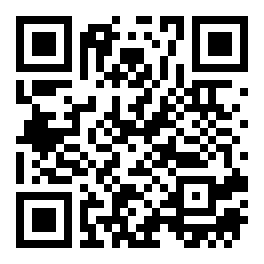
Scan to download ck34.apk
App vs. Browser: What You Actually Get
Both options let you play every game on ck34. The native app adds a few real advantages that matter when you're on a slow connection or want faster navigation.
| Feature | ck34 App | Mobile Browser |
|---|---|---|
| Full game library (4,700+ games) | Yes | Yes |
| bKash & Nagad deposit | Yes | Yes |
| Push notifications (bonus alerts, match updates) | Yes | Limited |
| Faster page load on slow 4G | Cached assets | Full reload each time |
| One-tap login (saved credentials) | Yes | Browser dependent |
| Biometric login (fingerprint) | Yes | No |
| Home screen icon, no URL bar | Yes | No |
| Crash game live multiplier display | Smooth 60 fps | Depends on browser |
| Live cricket score widget | Yes | No |
| Storage used on device | 41 MB | No install needed |
| Works on iOS / iPhone | Android only | Yes (Safari / Chrome) |
| Minimum Android version | Android 8.0+ | Any modern browser |
iOS users: open ck34.vin in Safari, tap the share icon, then "Add to Home Screen" — no install required. See iOS steps below.
6 Things the ck34 App Does Well
Fast Deposits via bKash & Nagad
Send money directly from your bKash or Nagad wallet inside the app. Funds arrive in about 3 minutes. Nagad, Rocket and Upay are also supported. Minimum deposit is ৳250 — no bank card needed to get started playing on ck34.
Every Casino Game in One Place
All 4,700+ titles from providers like Red Tiger, Spribe, Ezugi, FA Chai and Sexy Gaming are available directly in the ck34 app. Teen Patti, Ocean King Jackpot, Crash and live roulette load without switching to a browser tab.
Push Alerts for Bonuses & Cricket Scores
The app sends push notifications when your reload bonus resets, when a live cricket match starts, or when a big multiplier event opens on Crash. You can choose which alerts to receive in the app notification settings — no spam, just the updates you want.
Biometric & One-Tap Login
After your first login, the ck34 app can use your phone's fingerprint sensor or face unlock. No typing your password every session. Saved credentials are stored encrypted on your device — not sent to any server during the unlock step.
Stays Smooth on Weak 4G
The ck34 app pre-caches navigation assets, so lobby screens and menus load instantly even on 3G or patchy 4G — common on Dhaka roads or during busy match hours. Game graphics stream as needed; cached assets keep the interface snappy without eating your data.
Quick Withdrawals to Mobile Wallet
Request a withdrawal inside the app and funds hit your bKash or Nagad account in around 7 minutes for verified accounts. Minimum withdrawal is ৳1,300. First-time withdrawals take up to 6 hours while KYC is reviewed — complete your NID or passport verification early.
Install the ck34 App on Android: 5 Steps
Android blocks apps from outside the Play Store by default. You need to allow "Unknown Sources" once before installing any APK. The whole process takes under 3 minutes.
-
1
Allow Unknown Sources
Go to your Android Settings → Security (or Apps & Notifications on Android 11+). Find "Install unknown apps", select your browser or file manager, and toggle it on. This permission is needed once and only applies to that specific app — it does not lower your phone's overall security settings permanently.
-
2
Download ck34.apk
Tap the "Download APK" button on this page or in the download section below. Your browser will save ck34.apk (41 MB) to your Downloads folder. Make sure you have at least 80 MB free on your phone storage — the app needs space to install its data files alongside the APK.
-
3
Open the APK File
Pull down your notification bar and tap the completed download, or open your file manager and navigate to the Downloads folder. Tap ck34.apk. Android will show an install prompt listing the permissions the app requests. Review them, then tap "Install". The install typically completes in 15–30 seconds.
-
4
Log In or Register
Open the ck34 app from your home screen. Existing players: enter your phone number and password, then tap Login. New players: tap "Register" to create an account in about 2 minutes — you'll need a valid phone number and a bKash or Nagad account ready. After registration, claim your first-deposit bonus from the Promotions tab.
-
5
Deposit & Start Playing
Tap Deposit, choose bKash, Nagad, Rocket or Upay. Enter ৳250 minimum. Funds appear in your ck34 wallet within about 3 minutes. Head to the Casino lobby — Teen Patti Joker and Crash are listed right at the top for quick access. Enable push notifications when the app prompts you so you don't miss bonus alerts.
System Requirements & Version Info
| App Name | ck34 |
| File Name | ck34.apk |
| Current Version | 3.7.18 |
| File Size | 41 MB |
| Minimum Android Version | Android 8.0 (Oreo) or later |
| Last Updated | 9 November 2026 |
| Price | Free |
| Platform | Android (APK direct install) |
| Languages | English, Bangla |
| Internet Required | Yes — Wi-Fi or mobile data (4G recommended) |
| iOS / iPhone | Use ck34.vin in Safari browser |
DOWNLOAD ck34 APP
Download APK – FreeOnly download from this page (ck34.vin/ck34-app/). Third-party APK mirrors may contain modified files. Check the file size matches 41 MB before installing.
Games You Can Play Inside the App
Every game in the ck34 casino lobby is playable inside the app. Below are some of the most-played titles available right now.
 Card Games
Teen Patti Joker
Red Tiger · RTP 96.8%
 Slots
Ocean King Jackpot
FA Chai · RTP 96.4%
Crash
Red Tiger · RTP 96.0%
Teen Patti
Sexy Gaming · RTP 97.3%
Ice and Fire
Red Tiger · RTP 96.9%
Gold Toad Fishing
Red Tiger · RTP 95.5%
Circus Delight
Ezugi · RTP 95.2%
Lucky Dice
Red Tiger · RTP 97.7%
See the full library on the ck34 Casino page.
Security & Permissions: What the App Asks and Why
SSL Encryption on Every Request
All communication between the ck34 app and our servers uses TLS 1.3 encryption — the same standard used by online banks. Your login credentials, wallet balance and transaction details are never sent over an unencrypted connection. You can verify this by checking the HTTPS padlock in the app's built-in help browser.
Storage Permission — Only for Downloads
The app requests storage access so you can save payment receipts and screenshots of your bet history to your phone's gallery. It does not read, modify or upload any other files on your device. You can deny storage permission after installation — the core app functionality (login, games, deposits) still works without it.
Network Access — Required for Gameplay
The app needs internet access to load game data, process deposits and connect to live dealer streams. It does not access your contacts, call log or camera. Network requests go only to ck34.vin and its CDN endpoints — no data is shared with ad networks or analytics services outside the platform.
KYC Verification Before First Withdrawal
To protect your account from unauthorised withdrawals, ck34 requires one-time identity verification before you make your first withdrawal. Upload a photo of your National ID Card (NID), passport or driving licence inside the app. Reviews take up to 12 hours. Once verified, all future withdrawals process normally at the standard 7-minute timeframe.
Fix Common Installation Problems
Most install errors have a simple fix. Check the table below before contacting support.
| Problem | Likely Cause | Fix |
|---|---|---|
| "App not installed" error | Not enough free storage, or an older version of the ck34 app is already installed and blocking the update. | Free at least 80 MB of space. If an older version exists, uninstall it first (Settings → Apps → ck34 → Uninstall), then install the fresh APK you downloaded from this page. |
| "Install blocked" or "Untrusted source" warning | The "Install unknown apps" permission has not been turned on for your browser or file manager. | Go to Settings → Security → Install Unknown Apps. Find the browser you used to download (e.g., Chrome or Firefox), tap it and enable "Allow from this source". Then retry the installation. |
| App crashes immediately on launch | Your phone runs Android 7.x or earlier, which is below the minimum requirement of Android 8.0. | Check your Android version in Settings → About Phone. If it is below Android 8.0, use the mobile browser at ck34.vin instead — the browser version supports older Android builds without any installation. |
| Download stops midway or file is 0 KB | Unstable mobile data connection during the download, or your operator temporarily throttled the connection. | Switch to Wi-Fi if available, or move to an area with a stronger signal. Then delete the incomplete file from your Downloads folder and tap the "Download APK" button on this page again to restart from the beginning. |
| Games load slowly or freeze in the app | Other apps running in the background are consuming RAM, or the device is on a very slow 3G connection. | Close background apps from the recents menu to free up RAM. For connection issues, the Crash and card games use less data than live dealer games — try those first. Switching from mobile data to Wi-Fi usually resolves live-game lag entirely. |
Still stuck? Contact ck34 support via 24/7 Live Chat inside the app or at ck34.vin.
iPhone & iPad: Add ck34 to Your Home Screen
There is no iOS app in the App Store. iPhone users get the same full casino experience through Safari. Add it to your home screen for app-like access in 3 steps.
-
1
Open Safari and go to ck34.vin
Use Apple Safari (not Chrome or Firefox) on your iPhone or iPad. Type ck34.vin in the address bar and load the site. Safari is required because only Safari supports the "Add to Home Screen" web-app feature on iOS devices.
-
2
Tap the Share Icon at the Bottom
At the bottom of the Safari screen, tap the square-with-arrow Share button. Scroll down the share sheet that appears and look for "Add to Home Screen". Tap it. Give the shortcut a name — "ck34" works fine — and tap "Add" in the top right corner.
-
3
Launch from Home Screen & Log In
The ck34 icon now appears on your home screen like a native app. Tap it to open in a full-screen browser without the Safari address bar. Log in with your existing account, or register here if you're new. All games, deposits and withdrawals work exactly as they do on Android.
Questions Players Ask About the ck34 App
Is the ck34 APK file safe to install?
Yes — as long as you download it from this page (ck34.vin/ck34-app/) and not from a third-party site. The official ck34.apk is scanned before each release. After downloading, check that the file size is exactly 41 MB. If the size differs, delete that file and re-download directly from the button on this page. Avoid any APK mirrors that claim to offer "mod" or "unlocked" versions — those are not from ck34 and may contain harmful code.
My phone shows "Parse Error" during installation. What does that mean?
A parse error usually means the APK file downloaded incompletely or became corrupted. Delete the file from your Downloads folder, make sure you have a stable Wi-Fi or 4G connection, then tap the download button on this page again. If the error persists after a clean re-download, go to Settings → About Phone and check your Android version. The ck34 app requires Android 8.0 or above. Phones running Android 7.x or earlier cannot install this APK and should use the ck34.vin website in their mobile browser instead.
How do I update the ck34 app to a newer version?
The ck34 app does not update automatically because it is an APK installed outside the Play Store. When a new version is released, you will receive a push notification inside the app. Tap the notification or return to this page, download the latest APK (currently v3.7.18), and install it over your existing app. You do not need to uninstall the old version first — your account, balance and settings are stored on the server and will be intact after the update. Check this page occasionally to confirm you have the most recent build.
Can I use the app on two phones at the same time?
Your ck34 account can be installed on multiple Android devices, but only one active session is allowed at a time. If you log in on a second phone while already logged in on the first, the first session will be signed out automatically. This is a security measure to prevent unauthorised access. If you want to switch devices, simply log in on the new phone — your balance, bonus status and game history remain unchanged because they are all tied to your account, not the device.
Does the ck34 app work without Wi-Fi, on mobile data only?
Yes. The app works on any active internet connection — mobile data (3G or 4G) or Wi-Fi. For most games such as slots, card games and Crash, a standard 4G connection is sufficient. Live dealer games (live roulette, live baccarat) stream video and perform better on 4G or Wi-Fi. On a slow 3G connection, the lobby and deposits still work reliably because the app caches navigation assets locally. For the smoothest live-table experience, Wi-Fi or strong 4G is recommended.
I already have a ck34 account on the website. Do I need to register again in the app?
No. Your existing ck34 account works directly in the app. Enter the same phone number and password you use on the website, then tap Login. Your balance, active bonuses, VIP tier and transaction history will all be there. If you have forgotten your password, use the "Forgot Password" link on the login screen — a reset code will be sent to your registered phone number. You do not need to create a new account or go through verification again.
What should I do if my deposit does not appear in the app after 10 minutes?
bKash and Nagad deposits normally arrive within about 3 minutes. If your wallet balance has been debited but the funds have not appeared in your ck34 account after 10 minutes, take a screenshot of the transaction confirmation from your bKash or Nagad app showing the transaction ID, amount and time. Then open the 24/7 Live Chat inside the ck34 app and share that screenshot with the support agent. Most delayed deposits are resolved within 15 minutes once the transaction reference is confirmed.
18+ · Play Responsibly
Gambling involves financial risk. Only players aged 18 and above may use ck34. Set a deposit limit and take breaks when needed.